
Written by
BusyBee Commerce
2 September 2026
Discover 10 practical ways to improve your Phoenix Cart store, from better navigation and product pages to faster performance, stronger SEO, mobile usability, customer trust and a simpler checkout experience.
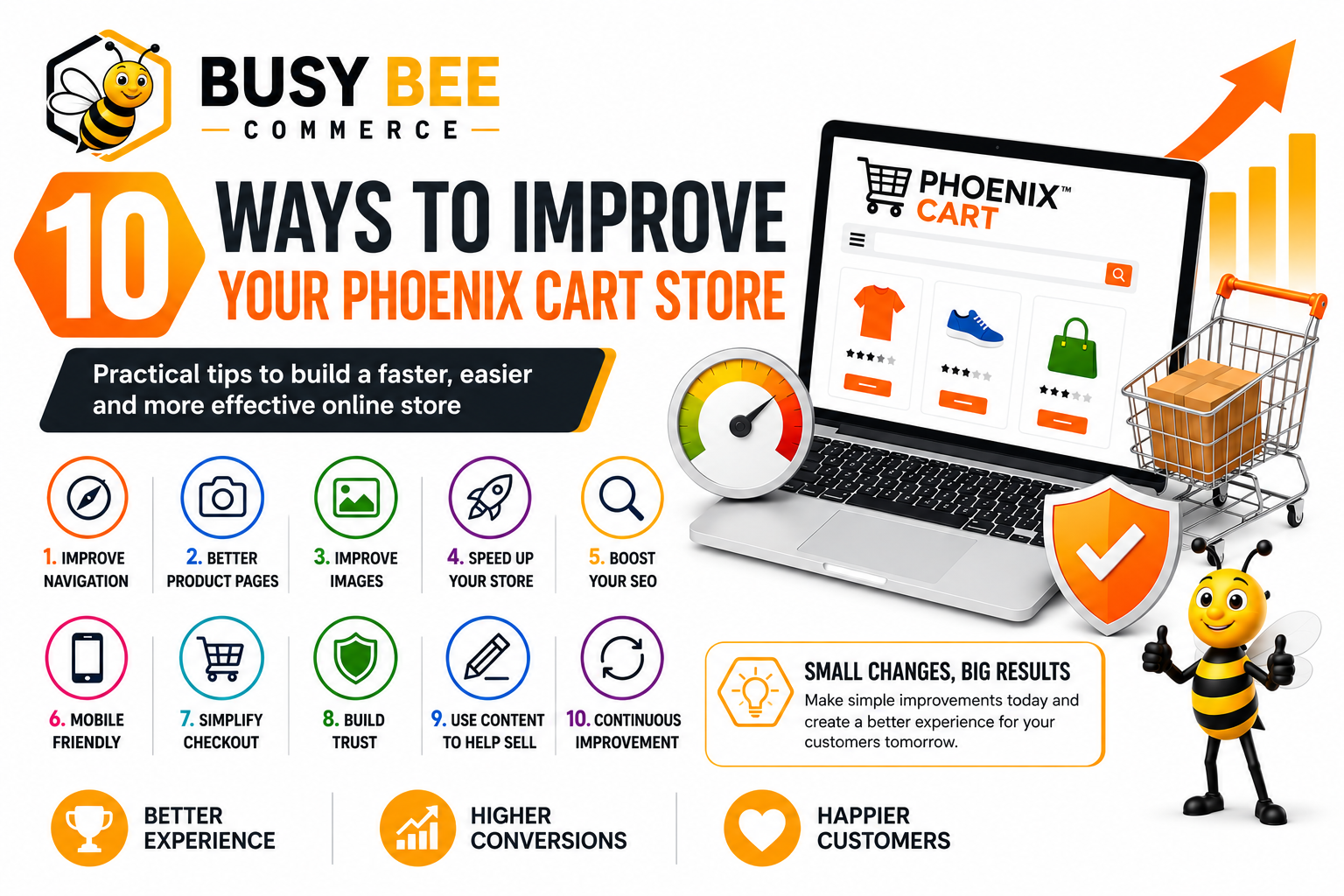
Running a successful online store involves much more than simply adding products and waiting for orders to arrive.
Customers expect fast pages, clear information, simple navigation, secure checkout and a professional shopping experience from the moment they arrive. Phoenix Cart provides a flexible foundation on which to build, and a series of relatively small improvements can make a significant difference to how customers experience your store.
Whether you have recently launched your Phoenix Cart store or have been running it for several years, there are always opportunities to improve the customer experience.
The following ten areas concentrate on practical improvements that can help make your store easier to navigate, more professional, faster and ultimately more effective at turning visitors into customers.
Good navigation is one of the foundations of a successful eCommerce website.
Visitors should be able to understand what your store sells and find the products they are interested in without having to work their way through complicated menus.
Start by reviewing your product categories. Avoid creating dozens of categories unless those categories genuinely help customers find what they need. Category names should be descriptive and immediately understandable to someone visiting your store for the first time.
Test your navigation on a mobile phone as well as a desktop computer. A menu that works perfectly on a large screen may be far more difficult to use on a smaller device.
Ask someone unfamiliar with your website to find three specific products. Don't tell them where to look. Watch the route they take. If they struggle, there is a good chance your customers do too.
Your product page is effectively your online salesperson.
A customer shopping online cannot pick up a product, examine it or immediately ask a member of staff for more information. Your product page therefore needs to answer the questions a customer is likely to have before they decide to buy.
Use descriptive product names rather than vague titles, unexplained abbreviations or internal product codes.
Explain what the product is, what it does, who it is for and why someone might choose it.
Show different angles, important details and, where appropriate, the product being used.
Include dimensions, materials, compatibility, sizes, colours and other information relevant to buying the product.
Customers should not have to reach checkout before discovering how or when a product can be delivered.
Make the price obvious and ensure discounts or special offers are easy to understand.
Product photography has a major influence on how professional your store appears.
Two stores might sell exactly the same product at exactly the same price, yet the store with clearer and more professional photography can create a much stronger impression.
Whenever possible, use sharp images with consistent dimensions, lighting and backgrounds.
Avoid uploading unnecessarily enormous photographs directly from a camera or phone. A large original photograph may be several megabytes even though your store displays it at a much smaller size.
Optimise images before uploading them and add useful alternative text where appropriate. This can improve page performance, accessibility and the information available to search engines.
A fast online store creates a better shopping experience.
Customers should not have to wait unnecessarily for categories, product pages or checkout screens to appear. Performance problems can come from many different areas.
Periodically review installed modules and add-ons. If something is no longer required, consider whether it needs to continue loading resources throughout your store.
Checkout speed deserves particular attention because this is the point at which an interested visitor is trying to become a paying customer.
SEO can help more potential customers discover your products through search engines.
Phoenix Cart store owners should pay particular attention to product pages, category pages, page titles, descriptions and internal links.
Write useful titles and descriptions that describe the page naturally and give searchers a reason to visit it.
Clear URLs can make pages easier for people and search engines to understand.
Add useful introductory information to important categories rather than leaving them as nothing more than product grids.
Link naturally to related products, categories, accessories and helpful articles.
Where practical, create genuinely useful product information instead of repeating identical descriptions across large numbers of similar products.
Having a responsive template is only the beginning of mobile optimisation.
Actually use your store on a phone. Browse products, add something to your cart and work your way through checkout exactly as a customer would.
Important actions such as Add to Cart, Checkout, Continue and Pay should be large, clear and easy to tap.
Every unnecessary obstacle between adding a product to the basket and completing payment creates another opportunity for the customer to leave.
Review your Phoenix Cart checkout carefully and ask whether every field, message and step is genuinely necessary.
Professional design helps, but trust comes from much more than appearance. Important information about the business should be easy to find.
Small problems can undermine confidence surprisingly quickly.
Broken images
Dead links
Empty categories
Placeholder text
Outdated promotions
Spelling mistakes
Old contact information
Pages producing errors
A well-maintained store communicates that the business behind it is active, attentive and interested in its customers.
Not every visitor arriving at your Phoenix Cart store is immediately ready to buy.
Some people are researching. Others are comparing alternatives. Some don't yet know which product is right for them. Helpful content can answer those questions and move potential customers closer to a buying decision.
Customer service enquiries are an excellent source of ideas. If customers repeatedly ask the same question, there may be an opportunity to create an article, guide or FAQ that answers it properly.
Content should be viewed as part of your sales process, not something separate from it.
Your Phoenix Cart store is never completely finished.
Customers change. Devices change. Browsers change. Search engines change. Payment technology changes. Your products and your business change too.
A store that worked perfectly several years ago may not offer the best possible experience today.
Check important pages, checkout functionality, new products and recent customer enquiries for recurring problems.
Check for:
Broken links, missing images, empty categories, outdated promotions, slow pages and old product information.Complete a full test order on desktop and mobile and experience the store from beginning to end.
Phoenix Cart's modular architecture allows your store to be extended with additional functionality. That flexibility is extremely useful, but an add-on should solve a genuine problem rather than simply add complexity.
Store owners spend so much time working inside their websites that they gradually stop seeing them in the same way as a first-time visitor.
Visit your store as though you had never seen it before and pay attention to what is immediately obvious—and what isn't.
Concentrate first on the improvements that have the greatest effect on your customers.
A successful Phoenix Cart store doesn't need hundreds of complicated features.
Some of the most effective improvements are surprisingly simple: better photographs, clearer descriptions, faster pages, simpler menus, useful information, an easier checkout and a store that customers feel confident using.
Make it as easy as possible for customers to find the right product, understand what they are buying, trust your business and complete their purchase.
Phoenix Cart gives you a flexible eCommerce platform on which to build. The real opportunity comes from continually refining that foundation around the needs of your customers.
Make one improvement today, another next week, and keep improving.
Need expert Phoenix Cart development services?
Get in touch today.
0 items
No comments have been published yet.